Checking rates
To check shipping rates for a given destination, you can follow the instructions below to do so via the API or in Dashboard.
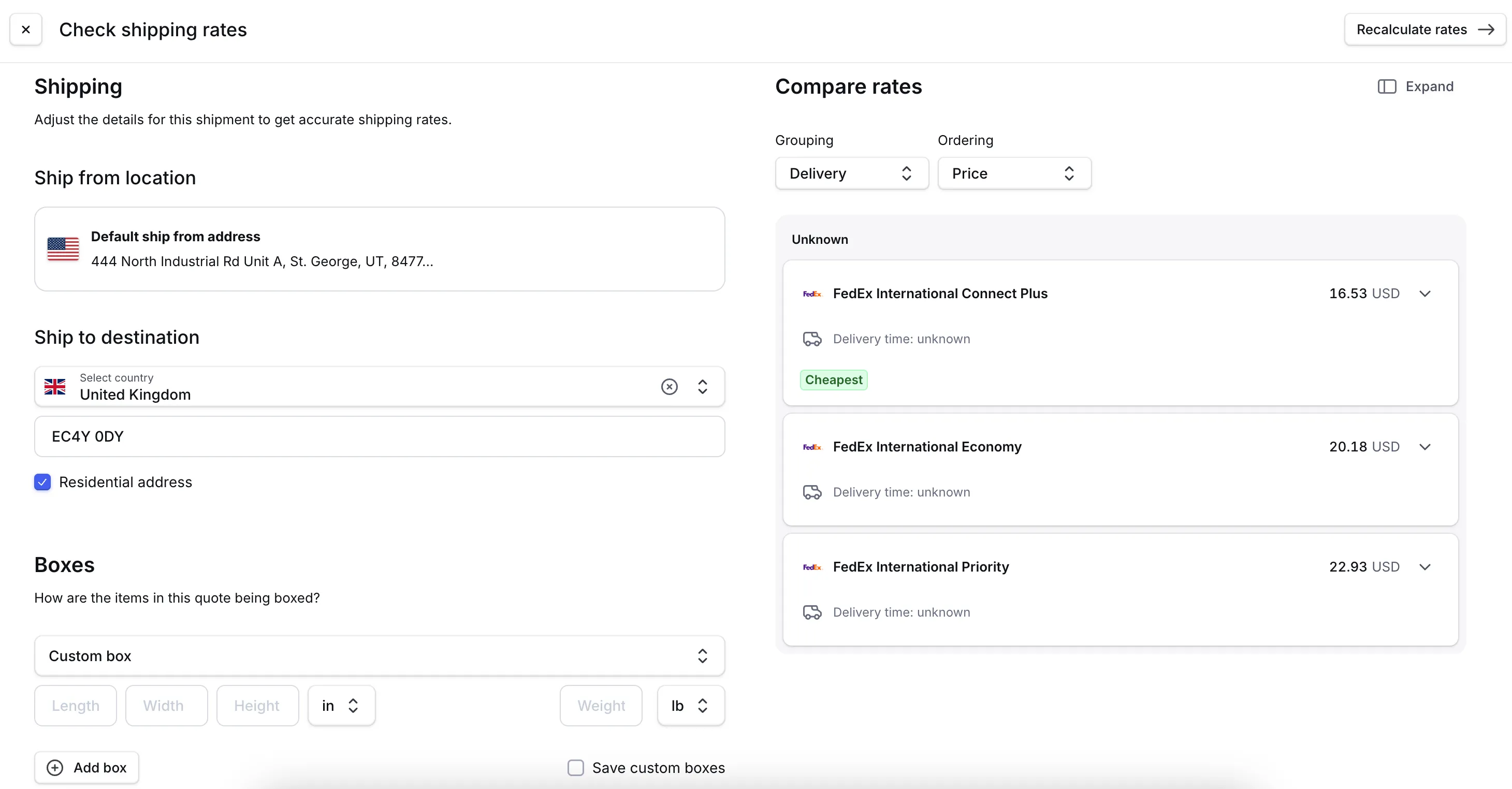
- Go to Dashboard -> Shipping -> Rates.
- Click Check rates.
- Select the Ship from location.
- Select the country you are wanting to get rates for and fill in all details.
- Enter the carton dimensions and weight.
- Click Calculate rates.
Instant rate
BETA
Instant rate uses your shipping history to predict shipping costs instantly. When you request shipping rates using shipmentRatingCalculateWorkflow, the system first checks if an instant rate is available based on cached carrier data from your account. If so, you'll receive it immediately. Otherwise, we'll request fresh rates directly from the carrier and use that information to improve future instant rates.
Benefits:
- Faster response times: Instant rates return instantly without waiting for carrier API responses
- Improved reliability: Reduces dependency on carrier API availability and performance
- Consistent checkout experience: Customers receive reliable shipping costs quickly and consistently
Availability and setup
Supported carriers: APC, DHL, FedEx, UPS, and USPS
Requirements for instant rates:
- Single-package shipments only
- Sufficient recent data from similar shipments on your account
- One of the supported carriers listed above
To enable this feature, contact Zonos Support. A Dashboard setting to toggle this feature on or off is currently in development.
Once enabled, this enhancement applies to all standard rating workflows and requires no changes to your existing integration.
Rate accuracy
Instant rates are built from actual carrier responses for your account and reflect:
- Your negotiated carrier rates and discounts
- Current fuel surcharges
- Applicable fees (residential delivery, extended area, oversized packages, etc.)
- Seasonal surcharges when applicable
When fresh rates are requested:
We automatically request fresh rates directly from carriers when:
- No recent historical data is available for the shipping scenario
- Your carrier discount rates have recently changed
- The shipment characteristics don't match our instant rate criteria
- Multiple packages are being shipped together
FAQs
Will this change my shipping costs?
No. Instant rates reflect your actual negotiated carrier rates and are based on real carrier responses your account has received.
What happens if my carrier rates change?
The system automatically requests fresh rates from the carrier to ensure accuracy and update the instant rate model.
Shipping rates
Get live shipping rates with Zonos Rate.Zonos Rate allows you to check shipping rates to and from any destination your carrier accounts are authorized for. We use API connections with carriers or provided rate sheets to retrieve this information. The shipment options returned in the calculated shipping response correlate with the
serviceLevelsyou've assigned to shipping profiles in Dashboard. If you expect aserviceLevelin the response but don't see it, ensure thatserviceLevelis enabled for the destination.